




- अनुकूलन योग्य वेबपेज डिज़ाइनों और उपयोगी उपकरणों के साथ शक्तिशाली मुफ्त वेबसाइट बिल्डर
- Weebly + Square के साथ कभी भी, कहीं भी बेचने की आज़ादी
- ग्राहक सफलता टीम आपको ईमेल, चैट या फोन कॉल के माध्यम से मार्गदर्शन करेगी

- हज़ारों आसान-से-इंस्टॉल ऐड-ऑन
- अंतर्निर्मित विपणन और ई-कॉमर्स सुविधाएँ
- WordPress होस्टिंग, डोमेन नाम, एक वेबसाइट बिल्डर, ब्लॉगिंग सुविधाएँ, और प्रोफेशनल ईमेल
Weebly vs. WordPress: Quick Summary
After comparing both builders in pricing, ease of use, design flexibility, performance, and support, Weebly comes out as the overall winner.
It’s easier to use, more affordable, and works better for beginners who want to build a professional-looking website fast.
The drag-and-drop editor, strong customer support, and helpful built-in tools make it a great all-in-one option for small businesses and personal sites.
WordPress, on the other hand, offers more design freedom and customization but has a steeper learning curve.
It’s ideal for users with some technical skills who want full control over their site and don’t mind spending more time on setup and maintenance.
If you want a straightforward, beginner-friendly website builder that delivers great value for money, Weebly is the better pick.
What Is Weebly?
Weebly powers over 50 million websites worldwide and offers a top-notch service for building the ideal website without spending much time or money, unlike other Weebly alternatives. It gives you a custom domain and email address, cost-free hosting, fully adaptable and modern themes, templates, email, chat, phone support, etc. Using Weebly, you can create, customize and publish professional-looking online stores, blogs, portfolios, and more without writing a single line of code. Weebly is well-known for its eCommerce, but its competitive pricing and extensive app store place it among the top website builders for small businesses. You can read our in-depth expert review of the Weebly website builder to learn more about the platform and everything it offers.

What Is WordPress?
WordPress is a popular website builder used by more than 80 million websites. Even though WordPress began as a blogging platform, it soon evolved into a website builder that offers incredibly flexible design, features, and functionalities and enables you to create any website you want, such as online stores or business websites. Since WordPress is self-hosted, you must choose a hosting provider that best meets your requirements. There is also a learning curve that might be difficult to understand because the WordPress editor is not a “what you see is what you get” one. Therefore, to customize the look of your website, you will have to have some coding knowledge. Read our in-depth expert review to learn more about the WordPress website builder and everything it offers.

Weebly vs. WordPress: A Short Preview
Before we start the Weebly vs. WordPress Full Comparison, let’s quickly review what to anticipate from Weebly and WordPress:
| Weebly | WordPress | |
| Value For Money (Pricing) Winner: Weebly | Weebly offers a free plan and four different paid plans for websites and online stores at very affordable prices. The plans start at $5 per month and go up to $25 per month. These prices seem very low compared to other Weebly competitors. | WordPress offers a free plan and two different paid plans; one is $5 per month, and the other is $15 per month. WordPress provides a 14-day money-back guarantee. However, WordPress falls short behind Weebly because it offers only two paid plans. |
Ease Of Use Winner: Weebly | Weebly provides two different editors. One of them is a simple drag-and-drop editor so designing a site is easy whether you have technical skills or not. Weebly is an excellent option for beginners.
| WordPress is easy to use but requires certain website-building knowledge and a learning curve. Also, unlike other companies like WordPress, you can’t just drag anything anywhere. The WordPress editor is a bit more complicated than Weebly’s. |
| Templates (Design Flexibility) Winner: WordPress | Weebly offers over 60 excellent templates suitable for many types of businesses. However, its design flexibility is limited. | WordPress provides a larger variety of themes than Weebly. WordPress offers free and paid professionally-made themes. WordPress themes are unique and have more design flexibility. |
Features and Tools Winner: Weebly | Weebly offers great tools and features, which are more advanced than WordPress. Some of them are SEO features, Blog features, and Domain Names. | WordPress also offers great features such as SEO tools, Marketing and Analytics tools, and Easy Monetization. |
| Performance Winner: WordPress | During our tests, our Weebly website had fast loading results of 1.23 seconds for a website that takes up 1.1 MB of storage with a performance grade of D 68. | During our tests, our WordPress website performed better than our Weebly website and had a load time of 1.44 seconds for a website that takes up 1.7MB, which is excellent. The loading time is a bit slower, but the overall performance grade of B 88 is better. |
| Help and Support Winner: Weebly | Weebly offers an excellent support team you can contact through live chat, phone, or email that is available 24/7. Weebly also provides a well-done knowledge base, FAX, and many guides in its Support Center and Weebly’s community forum. | WordPress provides an extensive knowledge base full of articles and video tutorials, WordPress Forum, and WordPress Documentation. WordPress also includes email support that is available 24/7. |
| Overall Rating Winner: Weebly | Weebly outperformed WordPress in the Weebly vs. WordPress comparison, first in four of the six comparison categories. | Despite coming in second, WordPress is not far behind Weebly. It is one of the best website builders on the Internet and offers excellent customizable templates, features, and tools. |
Weebly vs. WordPress: Full Comparison – Who Is the Superior Website Builder?
Value For Money (Pricing): Which Website Builder Provides The Best Value?
Weebly Pricing
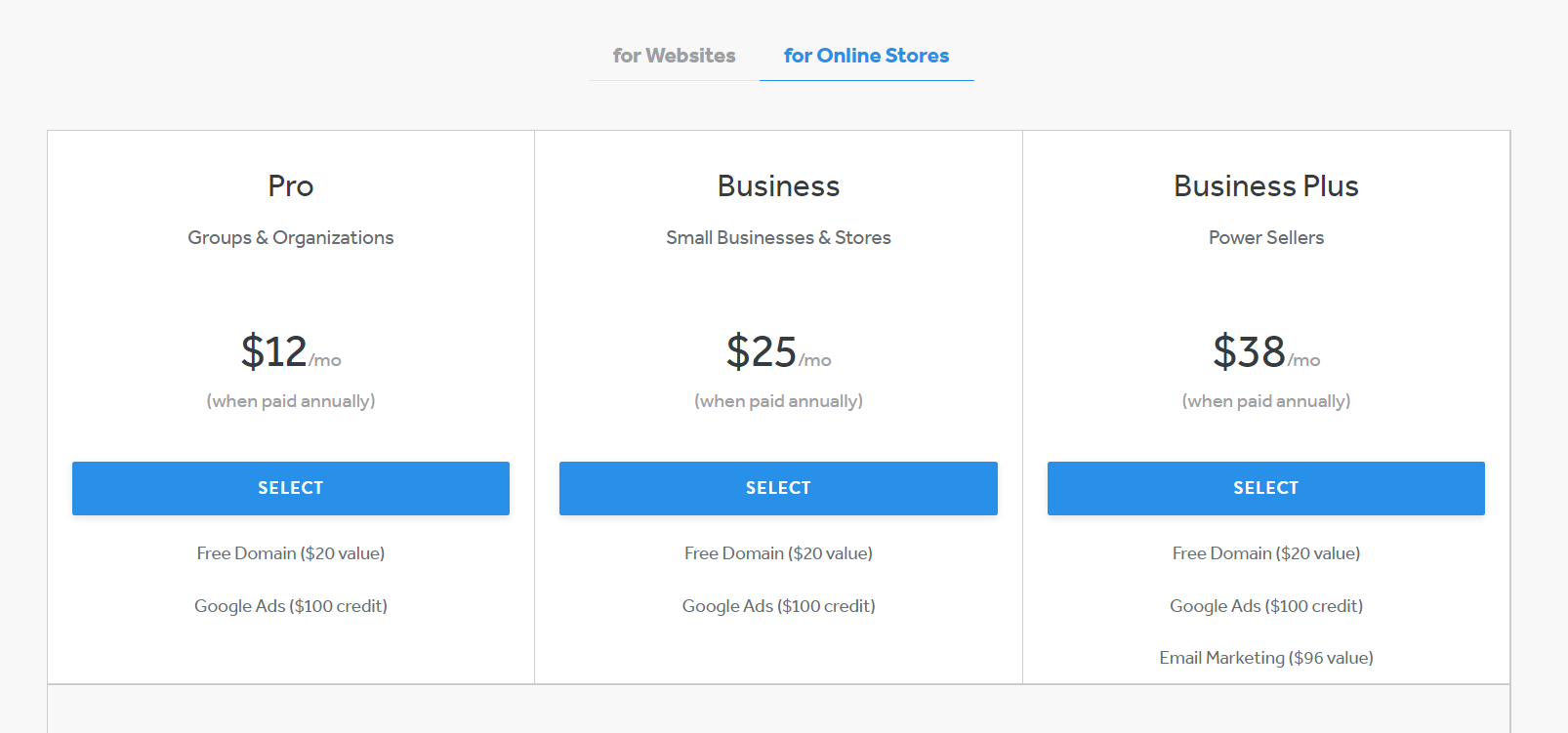
If you want to create a website, Weebly offers a free plan and four paid plans. Weebly divides these plans into two categories: websites and online stores. For websites are the plans Connect, Pro, and Bussiness, and for online stores are Pro and Business, which are the same for websites, with an additional one Business Plus. The plans range from $5 to $38 per month. When compared to other Weebly alternatives, these costs are incredibly affordable. But it’s essential to remember that these costs apply only if you choose the annual plan and pay for it in advance for a full year. If you want more flexibility, you can pay monthly, but the monthly cost will be higher. You can always use the free plan to create your website and get a feel of how Weebly works. However, if you are using the free plan, you will only have access to limited features, you won’t be able to use a custom domain, and you’ll have adverts displayed on your site.
You can see Weebly’s pricing plans and features in the photos below.

WordPress Pricing
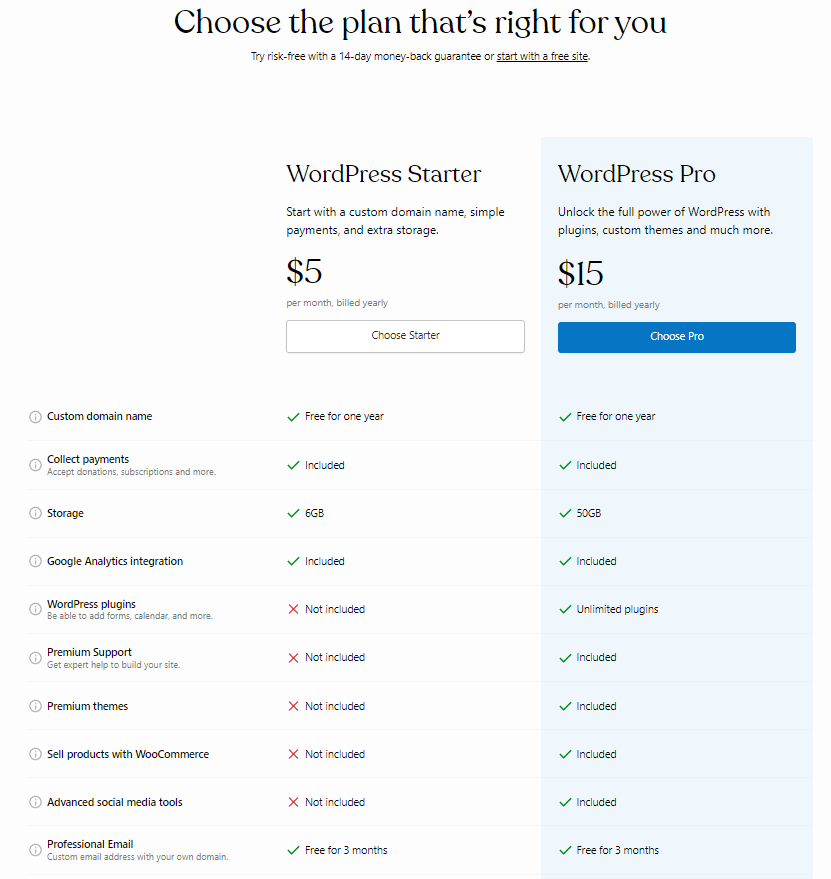
WordPress offers a free plan and only two paid plans. The cheaper one is $5 per month, and the other is $15. With the free plan, you get a blog with 3GB of storage space, a few free themes, and support through the community, WordPress will place ads on your site, and you can’t upload your themes or add plug-ins. The WordPress plans offer a lot for affordable prices compared with other WordPress competitors. Both paid plans include a free domain for a year, collect payments, Google Analytics integration, professional email for three months, etc. With the more expensive plan, you will also get premium features such as WordPress plug-ins, premium support, premium themes, advanced social media functions, no ads, advanced SEO tools, automated website backups, and more. If you purchase a paid plan and are dissatisfied with the service, you can cancel the plan within the first 14 days because WordPress provides a 14-day money-back guarantee.
You can see WordPress’ pricing plans and features in the photos below.
Winner
Both website builders provide everything you could need to build and maintain a website in one location. The plans provided by both website builders are very affordable, and both of them offer a free plan. However, looking at the variety of plans of both website builders, Weebly has an advantage over WordPress because it provides more plans at different price points, so there is something for everybody. So, Weebly is the winner of this category.
Want to Try Weebly?
Weebly provides excellent value for money and offers four plans suitable for everyone. Weebly also provides a free plan.
Ease of Use: Which Website Builder Is More Beginner-Friendly?
Weebly Ease of Use
In contrast to other companies like Weebly, everything on the platform is straightforward and designed so that a total beginner would have no trouble learning and understanding the system. With Weebly, anyone can simply create a website without any coding experience. Setting a website up is quite easy. All you need to do is select a plan and enter your information. There are no additional Weebly requirements. The platform currently supports two editors: the Weebly editor and the Square editor. The Weebly editor is a drag-and-drop editor designed to make it easy and simple to create a unique, non-eCommerce website and get it up and running quickly. The new Square editor is another option and is somewhat simpler to use. It is designed for creating online stores. Compared to the Weebly editor, the Square editor offers substantially less flexibility. And by using the Square editor, you build your website by adding predesigned sections.
WordPress Ease of Use
If you want a simple website, other WordPress alternatives may be better, but if you want something more complex, WordPress is great for you. WordPress is simple to use, and there are not many WordPress requirements, as long as you have some website-building knowledge. However, WordPress provides many tutorials and pop-up instructions to get you started with the basics. WordPress offers an editor called Gutenberg. Gutenberg is a content editor that treats every paragraph, heading, and image as a separate block. This enables you to edit your content in block-specific changes. For instance, you can add background images to particular sections, create several columns for text and images, modify the font size for a specific paragraph, etc.
Additionally, you may embed videos from numerous platforms into Tweets, Reddit posts, Instagram images, etc. WordPress does not offer drag-and-drop design like other companies but lets you test theme modifications in real-time. And if you want to use the drag-and-drop method with WordPress, you can always install plug-ins.
Winner
Seeing as WordPress does require a certain website building knowledge and there is a learning curve, Weebly is the better option. The WordPress editor is a bit more complicated than Weebly’s, and Weebly is more suitable for beginners. So, the winner in this category is Weebly.
Want to Try Weebly?
Weebly is an excellent option for beginners. It offers a simple drag-and-drop editor so designing a site is great whether you have technical skills or not.

Templates (Design Flexibility): Which Website Builder Provides More Design Flexibility?
Weebly’s Templates and Design
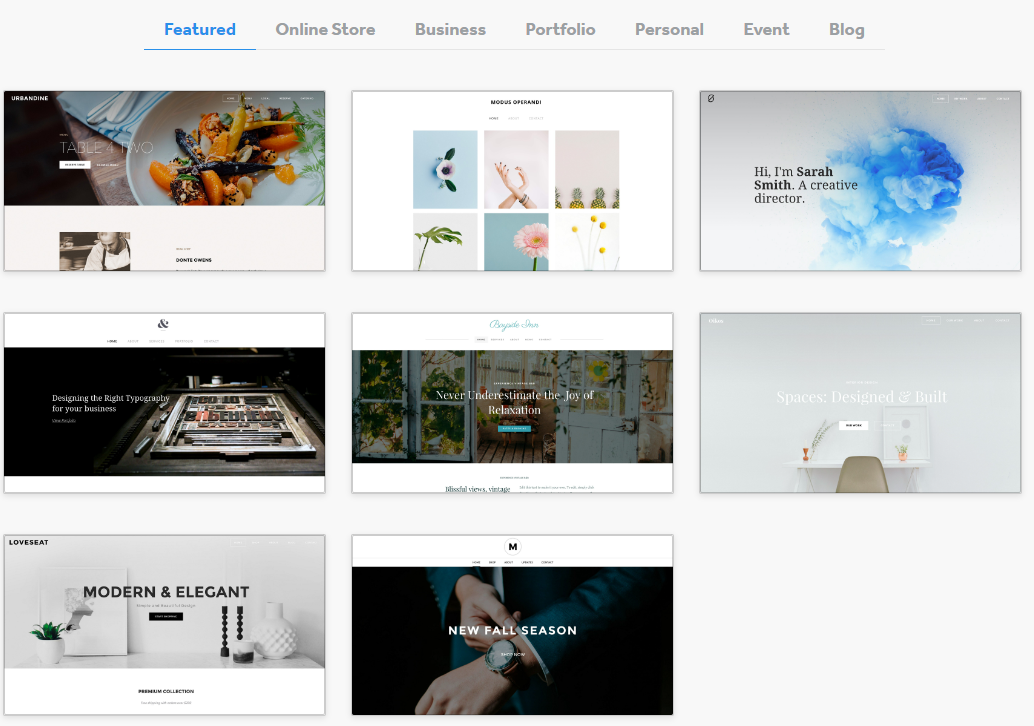
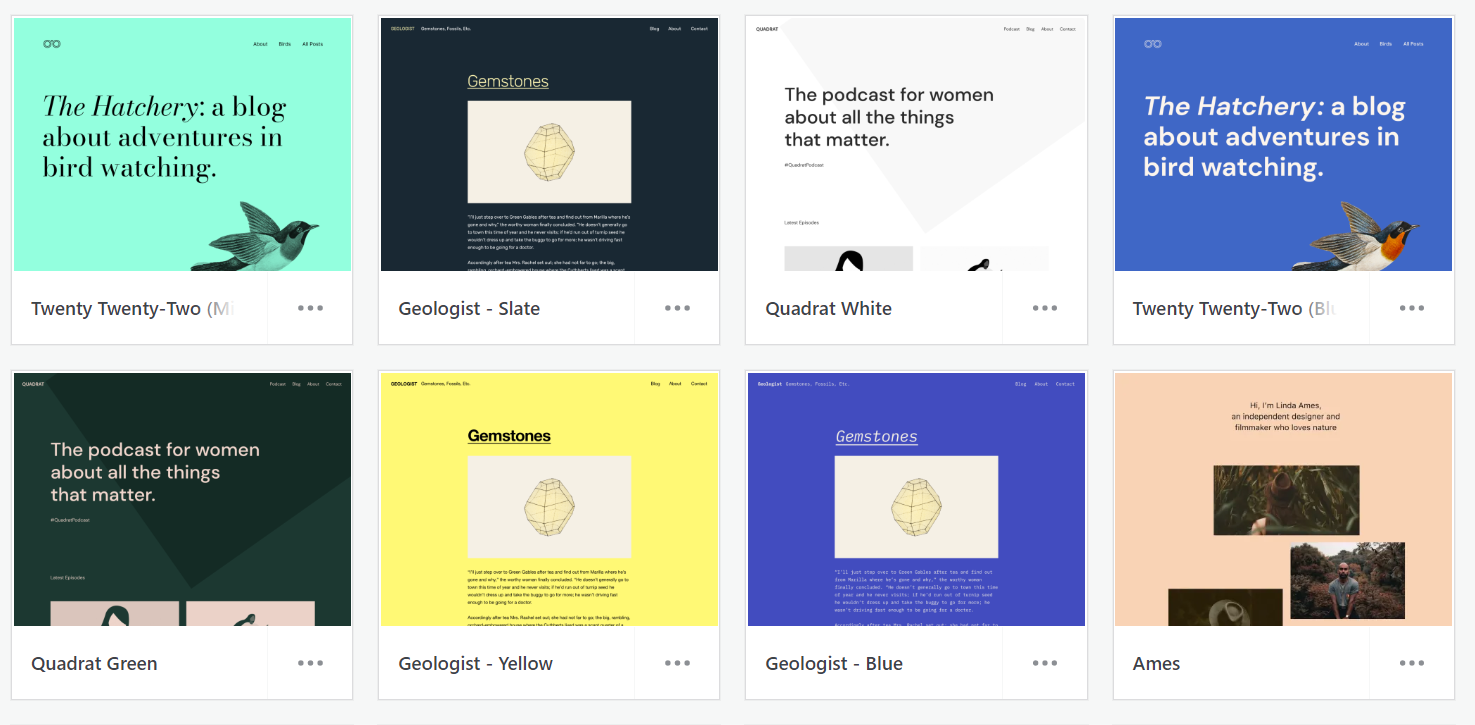
Weebly provides around 60 professionally designed themes. It is not a lot, but there is enough variety to offer a good selection for different design preferences. Each of Weebly’s templates is free, and to assist you to select the ideal layout for your website, Weebly has divided its themes into categories. You can choose from ultra-modern and minimalist to bold and classic. Once you start building your website, Weebly asks you to choose a theme, but Weebly doesn’t require a long-term commitment when selecting it. If you change your mind and no longer desire the theme you first chose, you can always customize or replace it. Once you select the theme you like, Weebly will offer high-quality sample text, layouts, and photos.
In addition, you can upload and use a third-party theme on Weebly. The selections are also reasonably priced, ranging from $20 to $50 per item, and you have a lot of creative freedom to develop your site.
WordPress’ Templates and Design
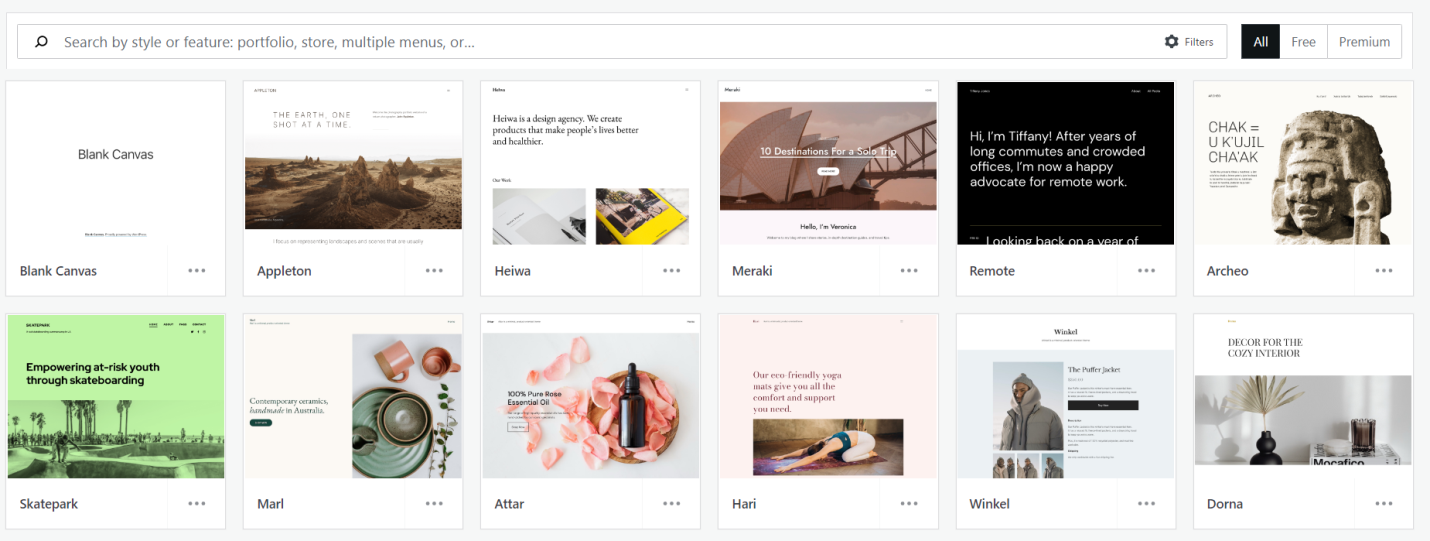
WordPress provides over 250 themes divided into 26 categories. The themes on WordPress are mostly blog-focused because it was designed as a blogging platform, but more business-related themes have been added recently. However, not all themes are available on the free plan. You can purchase the paid themes with a one-time payment or yearly membership. With a one-time payment, you will only pay once for a theme, and it often has a defined support period of between 6 and 12 months. You’re on your own after that. WordPress allows you to customize your website, but the customization may be limited by the individual theme you use. WordPress also provides the Advanced Design Customization option, only available on the WordPress Pro plan. However, the basic themes will meet your needs given their high quality and nearly universal mobile responsiveness. In addition, if you purchase the WordPress Pro plan, you can install and use third-party themes.
Winner
Weebly offers over 60 themes that are simple and easy to customize. However, WordPress provides over 250 themes which are free and paid. WordPress themes are modern and unique and have more design flexibility. So, WordPress is the winner of this category.
Want to Try WordPress?
WordPress has a variety of themes available that are easily customizable and unique, created to suit every business. WordPress also provides the Advanced Design Customization option on the WordPress Pro plan.
Features and Tools: Which Website Builder Provides Better Features and Tools?
Weebly Features and Tools
When building your website, Weebly’s numerous useful built-in tools provide many options to enhance its appearance. Some of the most important features and tools that Weebly provides include the following:
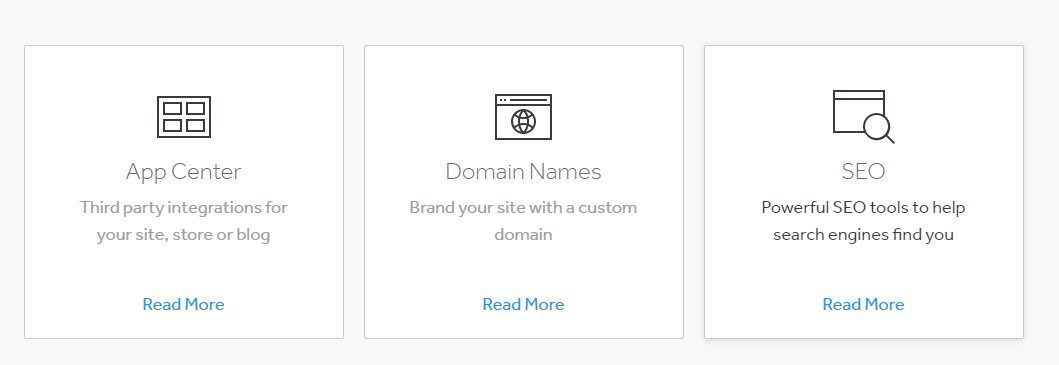
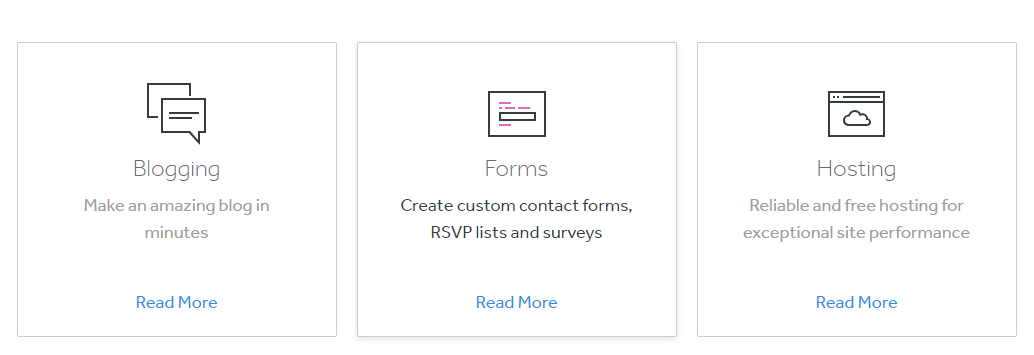
- SEO: Weebly provides robust SEO tools such as a sitemap, SEO-friendly HTML formatting, meta descriptions, and responsive design. With these SEO tools, you can edit your meta titles and descriptions, customize URLs, and add alt text to images and page-specific descriptions. In addition, Weebly provides an Ultimate SEO Guide that will guide you through the whole process of optimizing your website.
- Blog: Weebly provides excellent features for blogging platforms, including blog-specific themes, automatically built-in RSS and social sharing features, scheduled sharing across Facebook and Twitter, media integrations in your blog dashboard, sidebar customizations, and advanced comment management. If you use a paid plan, you can also add multiple editors and authors.
- Domain Names: With Weebly, you will get a free domain for the first year. But, if you want to add a custom domain, you must purchase one of Weebly’s plans. And if you already own a domain name, you can easily transfer it. Some of the available domain endings provided by Weebly are .com and .ca.
Weebly also provides an impressive app center where you can find free and paid apps that you can install and integrate with your website with just one click. Weebly divides the apps into sections you can browse through, and there are many available apps, such as some for boosting traffic, spiking sales, connecting social media, etc.
WordPress Features and Tools
WordPress offers many features to help you create your website, and it also allows you to add many plug-ins. The following are some of the most significant features and tools that WordPress offers:
- SEO: WordPress provides SEO tools that will help boost your site visibility. With the SEO tools offered by WordPress, you can make your site visible to Google and other search engines. You can create custom categories and tags on WordPress, set up SEO-friendly URLs, and use HTML tags to get maximum value from your keywords.
- Marketing and Analytics Tools: With WordPress marketing and analytics tools, you can increase your SEO, build your brand, track your visitors, and share your blog content on social media. However, they’re not that advanced if you’re on the free plan.
- Easy Monetization: If you purchase the WordPress Pro plan, you can collect recurring subscription payments for your content. And if you want to place advertising on your website, it requires a small amount of hassle.
WordPress provides plug-ins that can be found by searching your dashboard, but you can access them only if you’ve purchased the WordPress Pro plan. With plug-ins, you can change your website in just about any way you can imagine. WordPress provides two types of plug-ins, free and paid. There are many great free plug-ins, but they don’t come with support.
And if you need more features, the paid plug-ins are an excellent choice. In addition, WordPress supports third-party integration with several services, and particular emphasis on Google Analytics and GSuite.
Winner
Both Weebly and WordPress offer excellent features, tools, and third-party integration. However, Weebly offers more advanced features than WordPress. So, Weebly is the winner of this category.
Want to Try Weebly?
Weebly offers various features and tools suitable for every website and an extensive app store. And with using Weebly’s tools, you can elevate the design and look of your website.
Performance: Which Website Builder Performs Better?
Weebly’s Performance
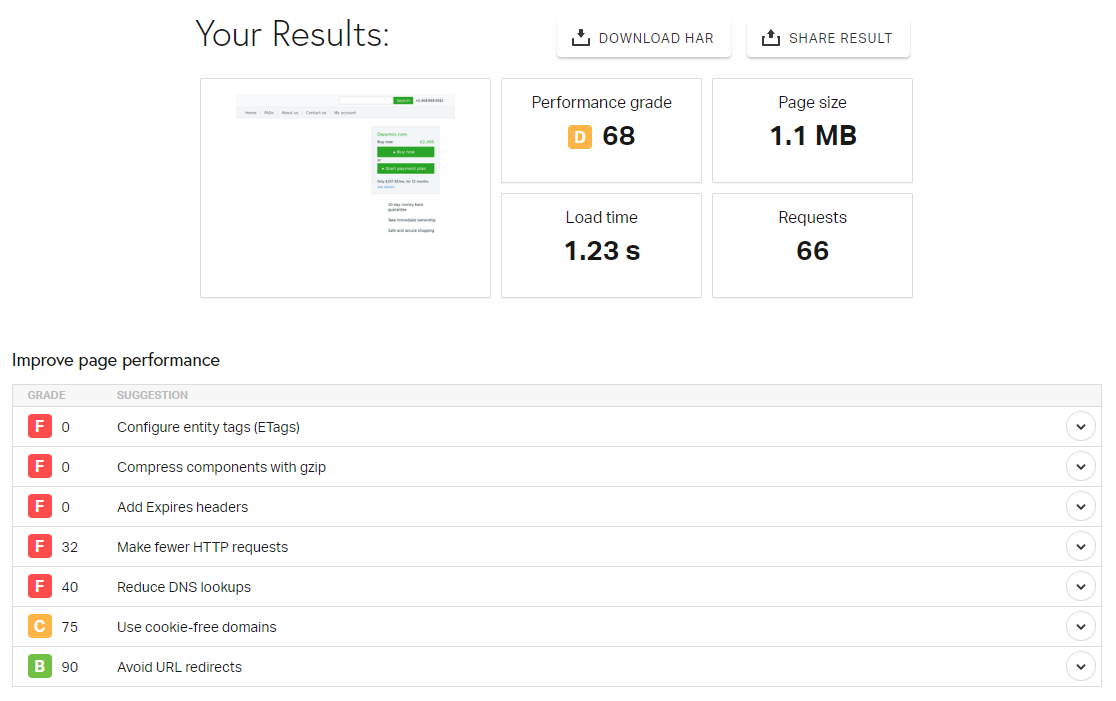
To evaluate the speed and general performance of our Weebly and WordPress websites, we will use a speed testing tool and test both websites from the same place. We choose Europe – the United Kingdom – London. By testing the speed of these websites, we can accurately compare the two website builders and decide which offers superior performance. We tried our Weebly website and got the following results:
- Performance grade D 68;
- Page size 1.1MB;
- Load time 1.23s.
The Weebly website we checked showed excellent results and had a speed of 1.23 seconds, which is very fast. Also, the website takes up 1.1MB of storage space. And for a performance grade, our Weebly site got a D 68.
WordPress’ Performance
We ran the same speed tests on our WordPress websites using the same speed testing tool. The following results were acquired from our WordPress website:
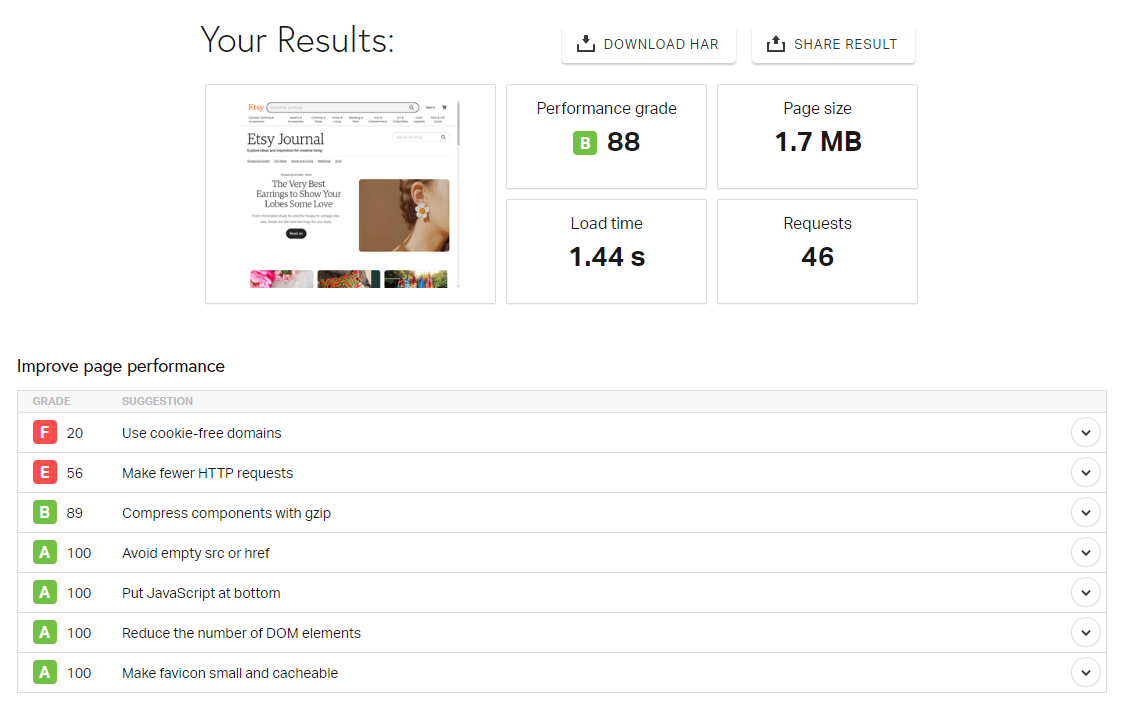
- Performance grade B 88;
- Page size 1.7MB;
- Load time 1.44s.
WordPress had excellent speed and loading times. Our WordPress website loaded in 1.44 seconds and uses 1.7MB of storage space, performing quite well. Our WordPress website has a performance score of B 88.
Winner
Both website builders performed well in speed and loading and had an excellent overall performance. However, WordPress wins this category. WordPress’s loading time was slower than Weebly’s, but that’s because of the website’s size. WordPress’ overall performance was better with a grade of B 88, while Weebly got a D 68.
Want to Try WordPress?
Based on our test, the WordPress website performed better than our Weebly website, making it the faster one of the two options.
Help and Support: Which Website Builder Has A Better Support System?
Weebly Help and Support
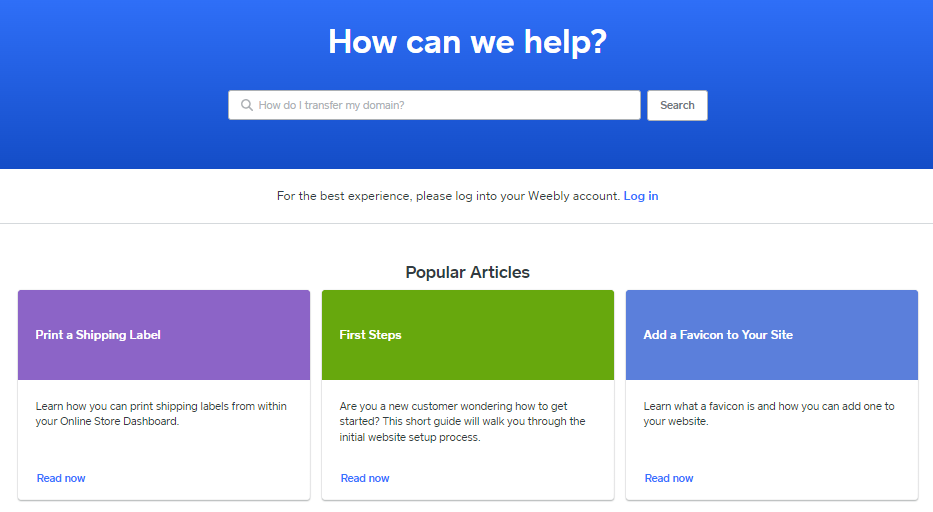
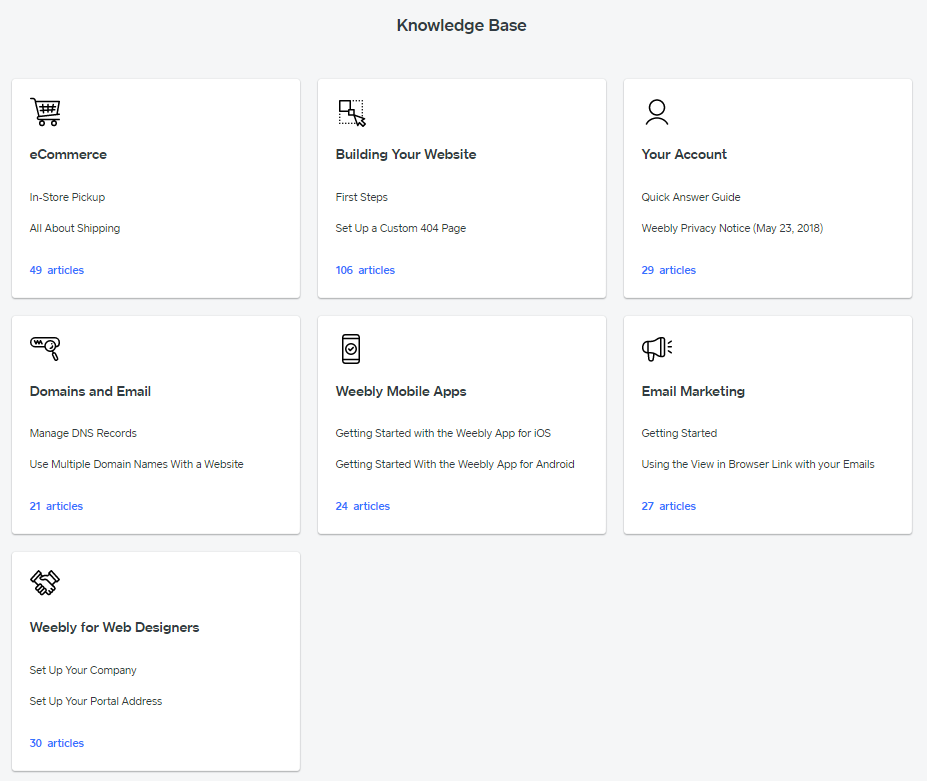
With companies like Weebly, the help and support level depends on which plan you purchase. Weebly provides support channels such as live chat, phone, or email that are available 24/7. If you are on the free plan, you will only have access to Weebly’s email support, and if you purchase a plan, you will have access to phone support or priority support. However, if you want to contact live chat or phone support, you must be in the US. Weebly’s live chat is available from Monday to Friday, 6 am-6 pm PST, and Saturday to Sunday, 8 am-5 pm PST. In addition, Weebly provides a well-done knowledge base, FAX, and many guides in its Support Center to walk you through any issue, and you can also post a question on Weebly’s Facebook page or contact their support team through Twitter.
Furthermore, all plans provided by Weebly include access to Weebly’s community forum. Unlike other Weebly alternatives, the website builder’s documentation is easily accessible. Everything is sorted, and the documentation is nicely written.
WordPress Help and Support
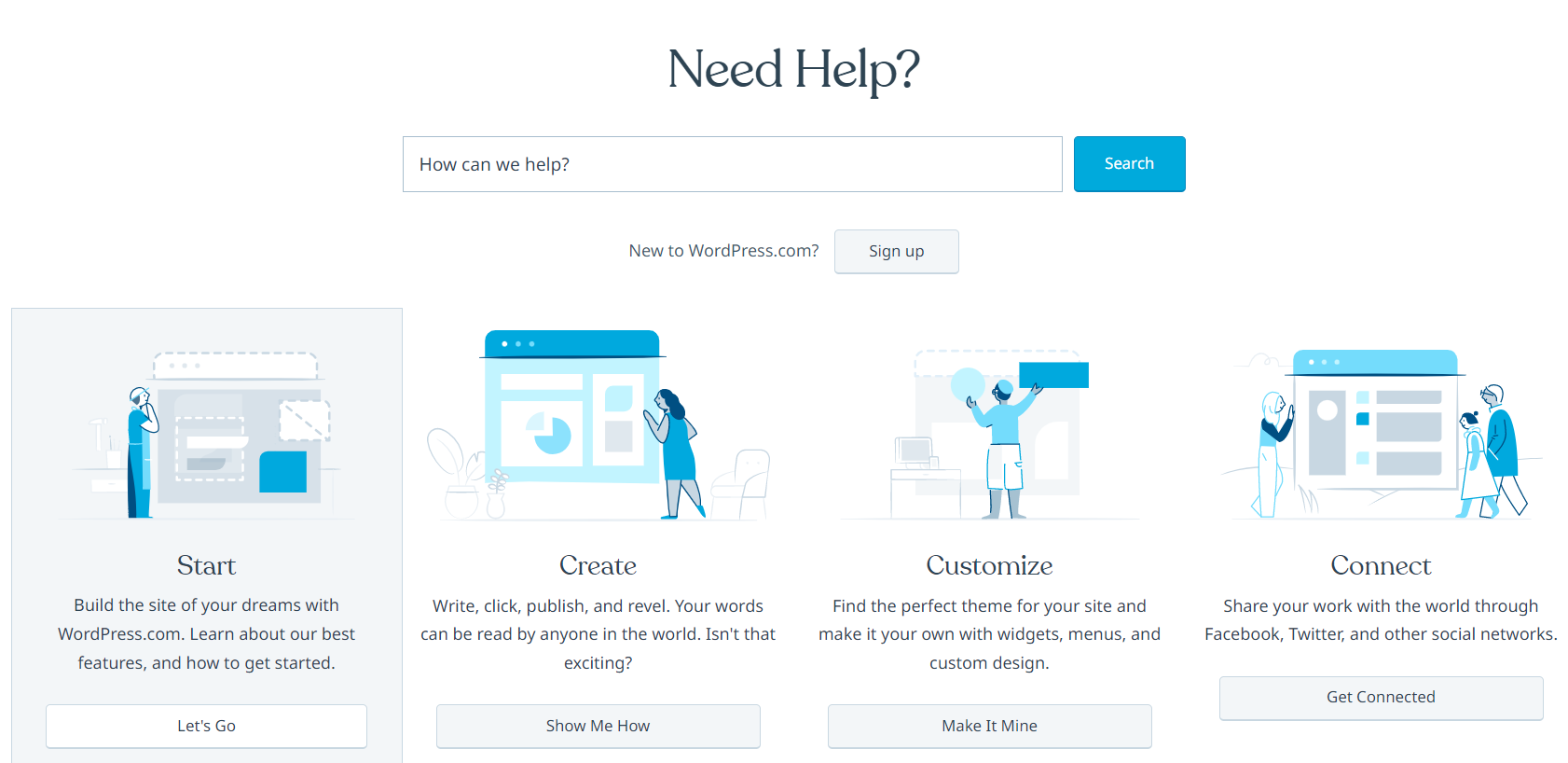
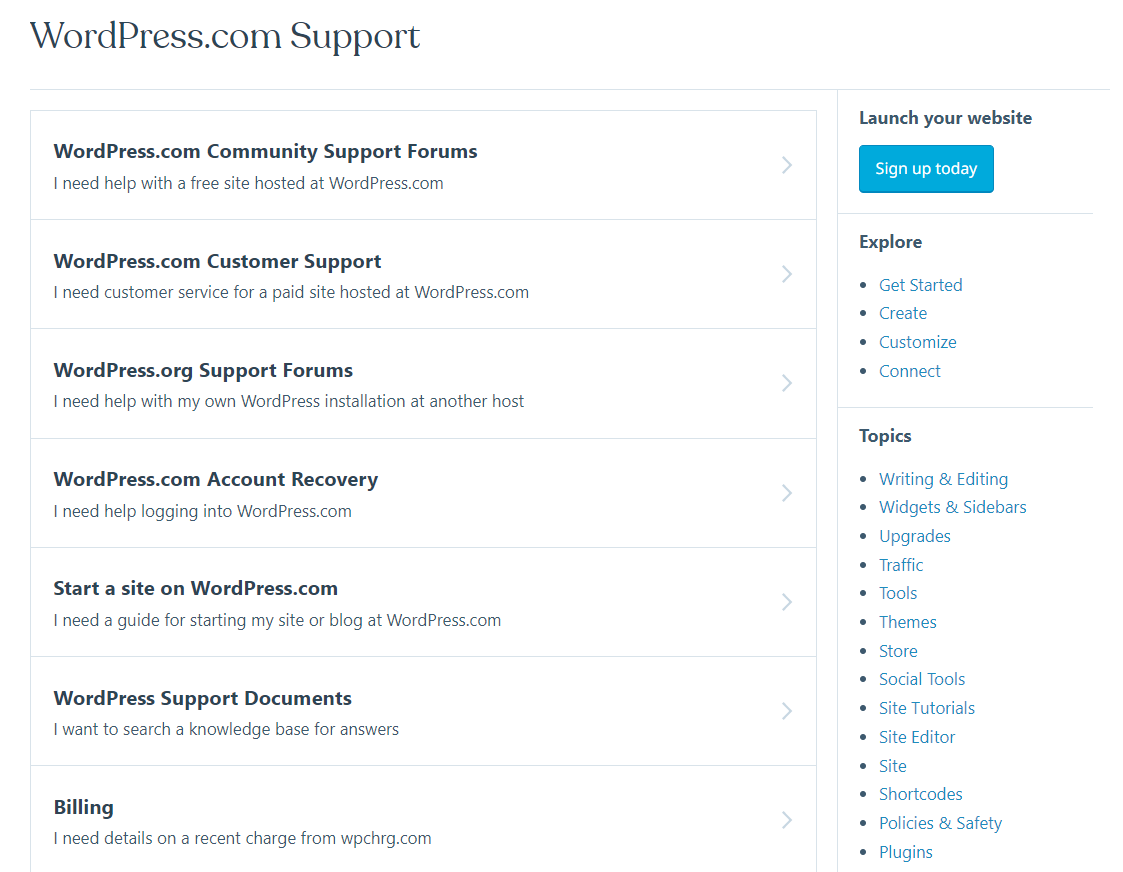
WordPress provides an extensive knowledge base full of articles and video tutorials to help you get started. And if you can’t find the information you need there, WordPress provides WordPress Forum where you can search for problems other WordPress users might have encountered. Also, you can post a question and wait for the community to help. WordPress provides WordPress Documentation, also called the WordPress Codex, and there you can find everything about WordPress. And it is very useful if you want to change the code of your WordPress website. WordPress also provides email support, which is available 24/7. In addition, the WordPress Pro plan gives you access to premium support. WordPress’s support team is knowledgeable, expert, and always ready to help fix its customers’ problems.
Winner
While WordPress provides decent help and support for its customers, Weebly’s help and support are better. Weebly offers great customer support for its users, and you can contact them through phone, which WordPress does not provide.
Want to Try Weebly?
Weebly offers excellent and reliable customer support available to its customers through live chat, phone, or email that are available 24/7. Their support team is knowledgeable and professional, ready to help its customers.
Weebly vs. WordPress: Conclusion and Recommendation
When to Choose Weebly?
Weebly is a quick and affordable option for creating a website with an online store. While Weebly is most known for its integrated eCommerce, users who do not sell products online can still benefit from its plans’ features and third-party app integrations to gain nearly any functionality they need for a small company website. So, Weebly is a good choice if:
- You are a beginner: Whether using the Weebly drag-and-drop builder or the Square editor for eCommerce sites, you will receive a user-friendly and straightforward interface that is ideal for beginners. Weebly has enough tools to scale and expand your business because its features are everything but basic.
- You want a more affordable option: Weebly’s paid plans have monthly prices that start at $5. However, your website will still include ads until you upgrade to the $12 per month Professional plan. Still, the features you receive may be well worth the price.
- You want a website for event-based businesses: Weebly offers event-based templates. Calendars, RSVP systems, forms, registry pages, and maps will simplify event management. Weebly is one of the most economical platforms for online event promotion and ticket sales because you can incorporate free plug-ins, like DonorBox, for charitable events.
When to Choose WordPress?
WordPress is a top-notch website builder that can change to meet your needs. You can certainly benefit from its tools and features while building your platform. WordPress is the right for you if:
- You want a professional business website on a budget: WordPress is the perfect website builder if you want to create a professional-looking site without spending too much money.
And with WordPress’s extensive library of over 250 themes, you can always find one that will suit your business.
- You want to grow your business online with complete freedom: WordPress is very flexible and has design customization capabilities. This means you can choose how your website looks and keep it as plain, simple, or complicated as you would like. It’s all up to you!
- You want to make a blog, portfolio, or personal website: WordPress provides beautiful themes and tools ideal for blogging, portfolio, or personal website. Also, WordPress provides an excellent content management system to help you manage your posts more easily.
Our Recommendation
WordPress is one of the best-known website builders on the Internet, providing excellent service and features. However, based on our research and tests for this Weebly vs. WordPress comparison, Weebly proved to exceed WordPress in a few categories, and WordPress proved to be better suited for individuals with previous experience with website building. So, we recommend Weebly over WordPress because it provides a variety of customizable themes, is easier to use, and is more beginner-friendly. Weebly offers an excellent set of tools and features, provides a fantastic support team, and performs well. Therefore, it is suitable for everyone, from beginners to professionals.
Want to Try Weebly?
Overall, Weebly proved to be the better website builder in our Weebly vs. WordPress comparison. It is simpler to use and provides a great set of themes. It also provides an extensive Help Center and an amazing support team.

